7 Ways to Benefit From Meta Business Suite

7 Ways to Benefit From Meta Business Suite
Real estate social media marketing is more important now than ever before. Agents who thrive on social media get noticed, get more leads, and ultimately close more deals. But if you’re like most, you struggle to keep up with it all. We get it- it’s a full-time job, especially if you’re active on multiple social media platforms.
What if we told you there’s a solution designed to help make social media management easy on two major platforms you probably use on a daily basis?
You’re about to fall head over heels in love with Meta Business Suite. This tool centralizes the management of your Facebook and Instagram pages all in one place.
Below, we’ll unpack what it is, how it can benefit your business, and save you time so you can focus on what matters most; your clients.
What is Meta Business Suite?
It’s the platform’s newest creation that streamlines your Facebook and Instagram accounts into one, easy-to-use dashboard.
The best part? It’s free and available on both mobile and desktop.
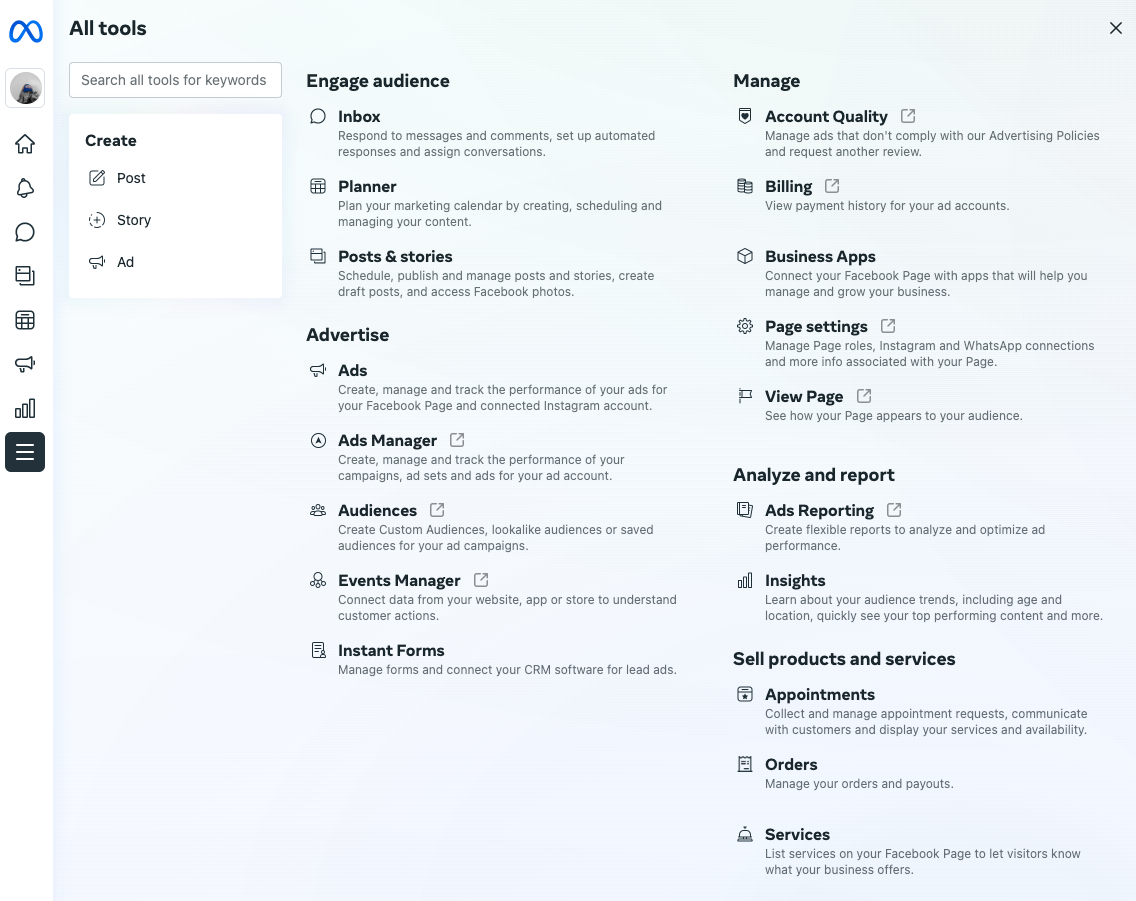
You’ll be able to respond to comments, create posts, schedule stories, run ads, and much more!
 It’s like your own personal social media assistant. Are you in love yet?
Let’s break down some of the many benefits to this platform that’s going to change the way you manage your social media forever.
Monitor Your Inbox
Do you have a million notifications on your phone and constantly find yourself switching back and forth between different social media apps to reply to your DMs and comments?
The inbox tool in Business Suite consolidates all of your Facebook and Instagram messages and comments into a single inbox so you can manage engagement more efficiently and effectively.
You’ll be able to manage your FB messenger, Instagram direct messages, Facebook Comments, and Instagram comments all in one place.
This is especially helpful if you have multiple Facebook accounts so you don’t have to go into each individual profile to check your messages.
Mind blown.
Inbox Automation
If your account is inundated with comments and messages or you’re sick of replying to the same question over and over again, you can even set up “Automated Responses.”
You can add personalization elements such as the person’s first, last, or full name to completely customize the message so you don’t sound like a bot.
Here’s a quick rundown of your options:
- Instant Reply: Respond to someone who’s reaching out to you for the first time.
- Away Message: Let people know when you’ll be back online and how to access help in the meantime.
- Frequently Asked Questions: You can suggest some of your most commonly asked FAQs and set up your own automatic responses to them.
- Comment to Message: Set up keywords that people can type in the comments to receive an automated message from your account.
Create & Schedule Posts & Stories
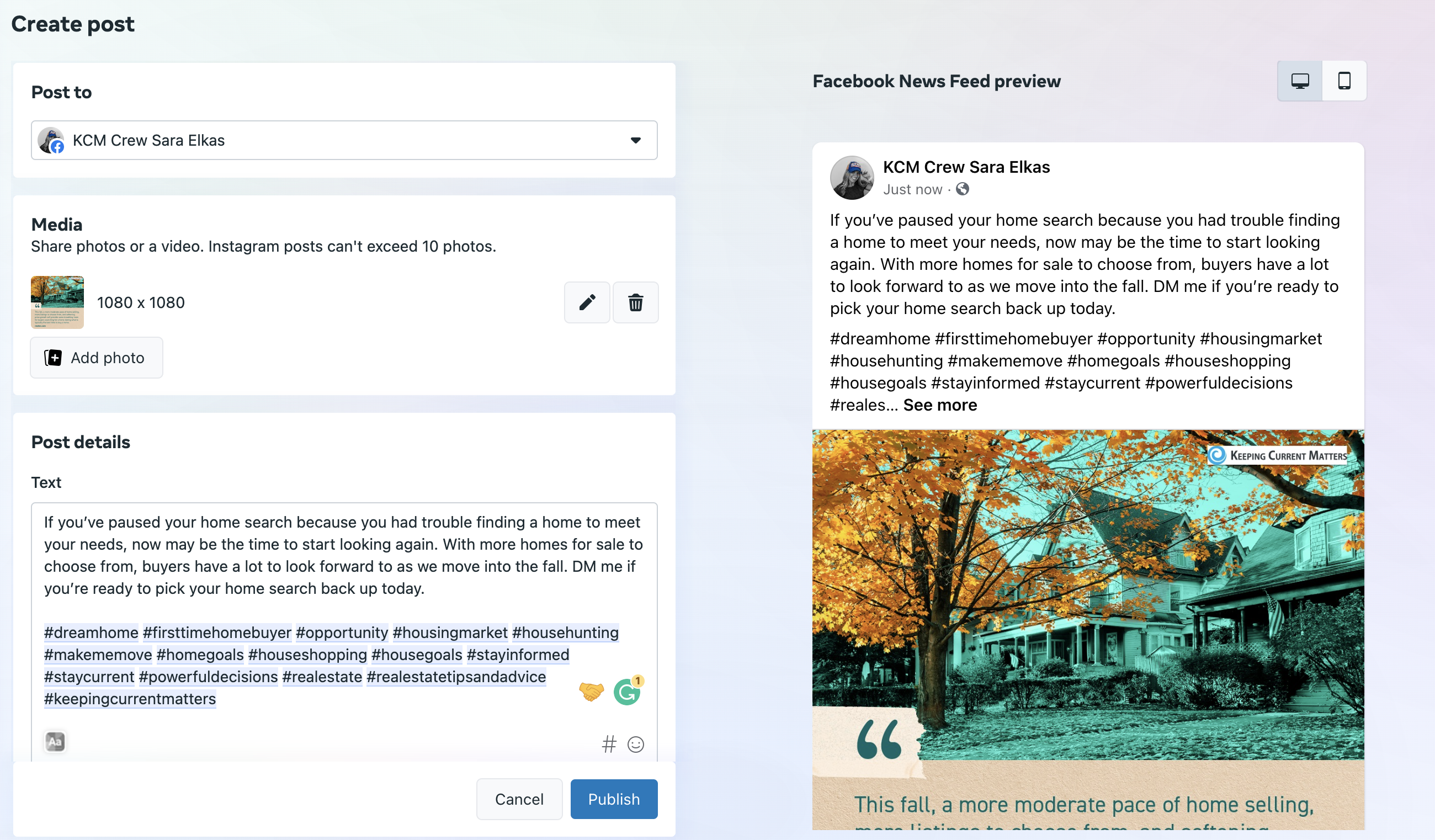
Scheduling out your social media content in advance is critical because it saves you time and keeps your social media feeds full of new content. KCM provides Automation to your social media platforms, but you can use the Business Suite to schedule out KCM content that can’t be automated such as RealTalk™ by KCM videos and Social Graphics in Story format.
You can also take advantage of this tool to create your own crafted social media posts and stories in one place and schedule each one out.
 That’s not all.
In the Planner section of the dashboard, there is a calendar view of your past and upcoming posts to help keep you on track.
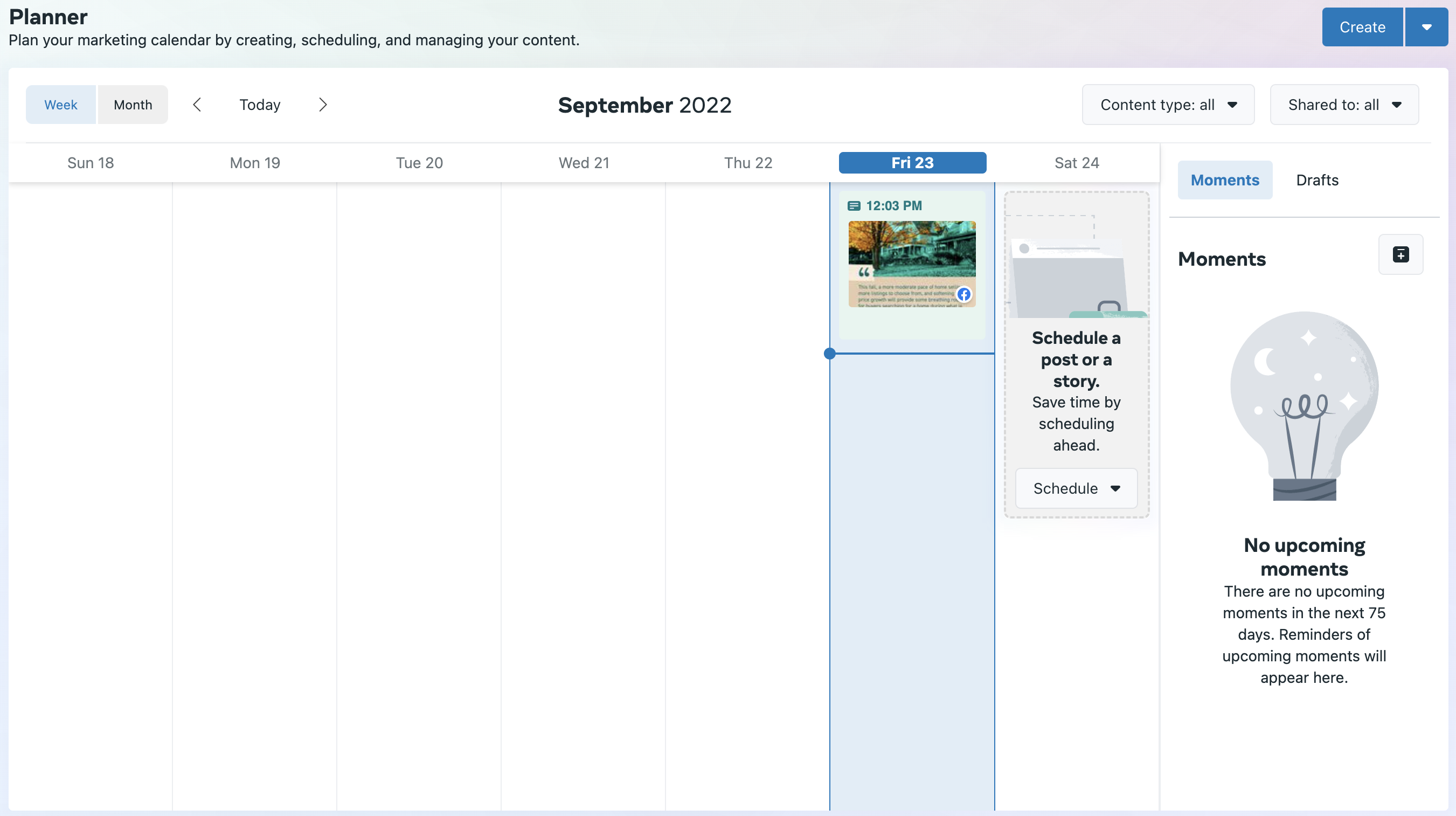 Schedule & Share Specific KCM Content to Your Post or Stories
Due to Meta sharing policies, the direct sharing and Automation feature provided by KCM is only available to Instagram Business accounts. If you have switched your Professional Instagram account to a Creator Account, Business Suite is a great scheduling tool option for you.
As mentioned above, it’s also a great option for those of you who are KCM Elite Members and want to schedule out your RealTalk™ by KCM videos, or for Members at any membership level who want to schedule out your Social Graphics to their Instagram Stories.
Be sure to check out this Support Article that walks you through how to schedule your KCM content with Business Suite.
Optimal Publishing times
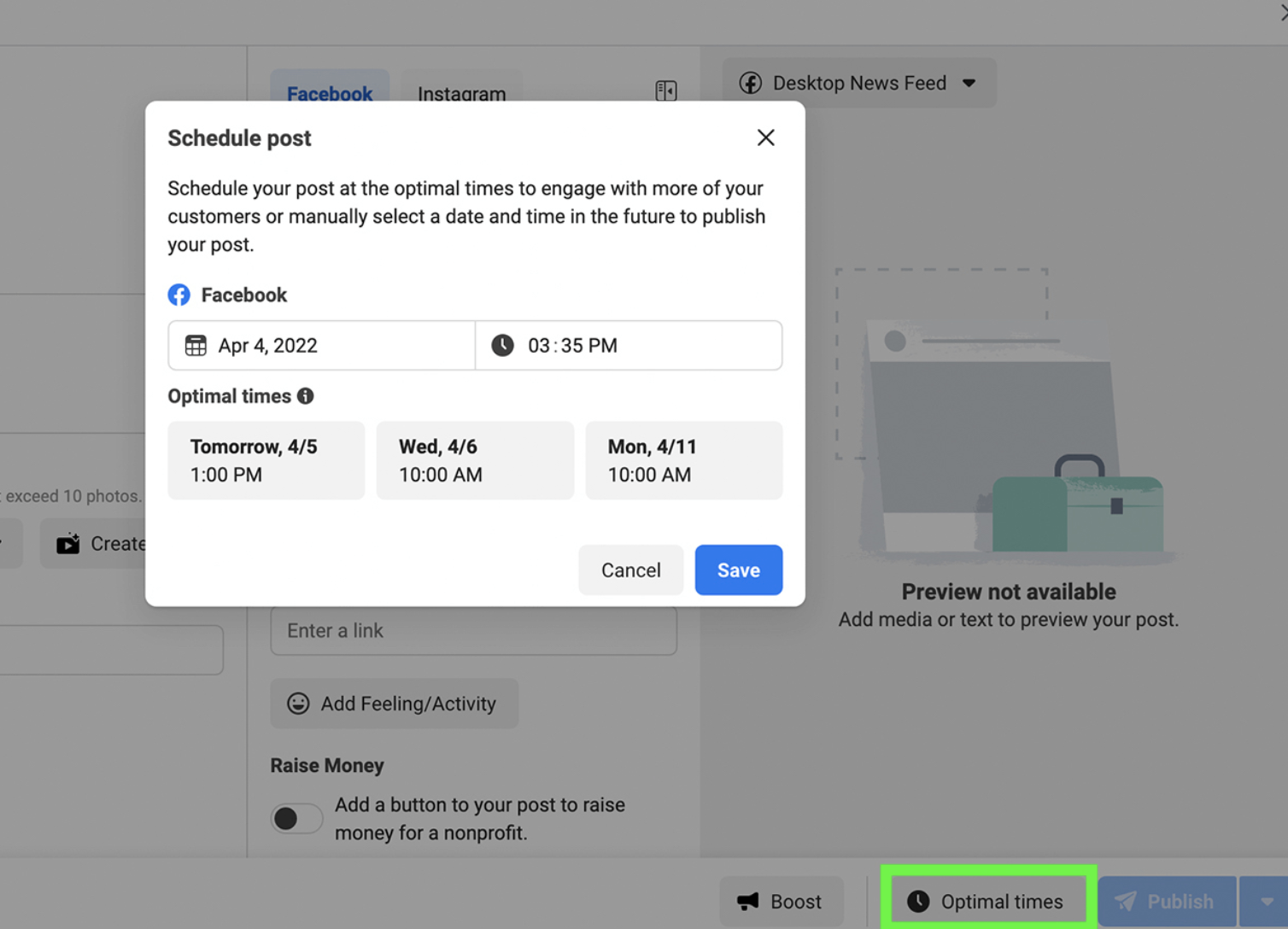
When your goal is to maximize reach and engagement, posting Facebook and Instagram content at the right time is essential to success. Historically, the only way to really determine when to post has been to manually check your insights to find out when your audience is online.
In fact, one of our most commonly asked questions here at KCM is “How often and when should I share to social media?” While we do have a best practice article on this topic for all social media platforms, Business Suite automatically provides posting recommendations of when your audience is online the most.
 Explore Insights
On the Insights dashboard, you can view analytics for your Facebook and Instagram accounts. By default, Business Suite displays both analytics for both channels so you can review the metrics and growth side-by-side.
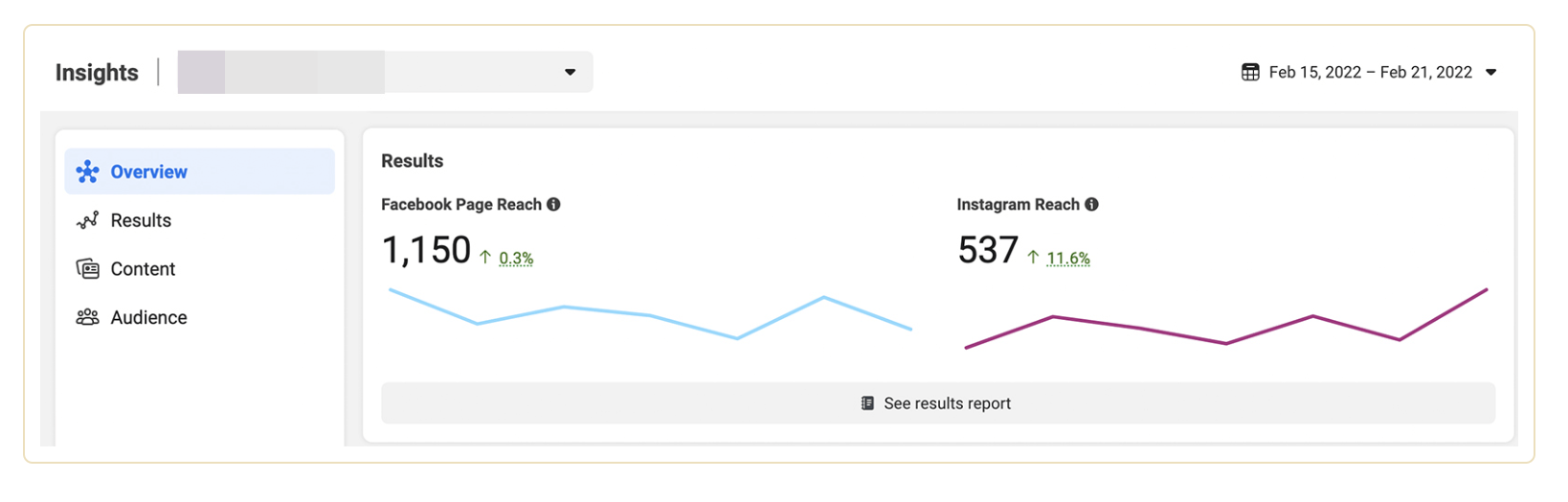 You can see an overview of how your content is performing over a specific time period and learn:
- Results: Get a daily breakdown of account reach, profile visits, and new followers.
- Content: See reach, engagement, and cost per result for every post, story, and ad. You can also boost organic Facebook posts from this tab.
- Audience: View audience breakdowns by age, gender, towns and cities, and top countries.
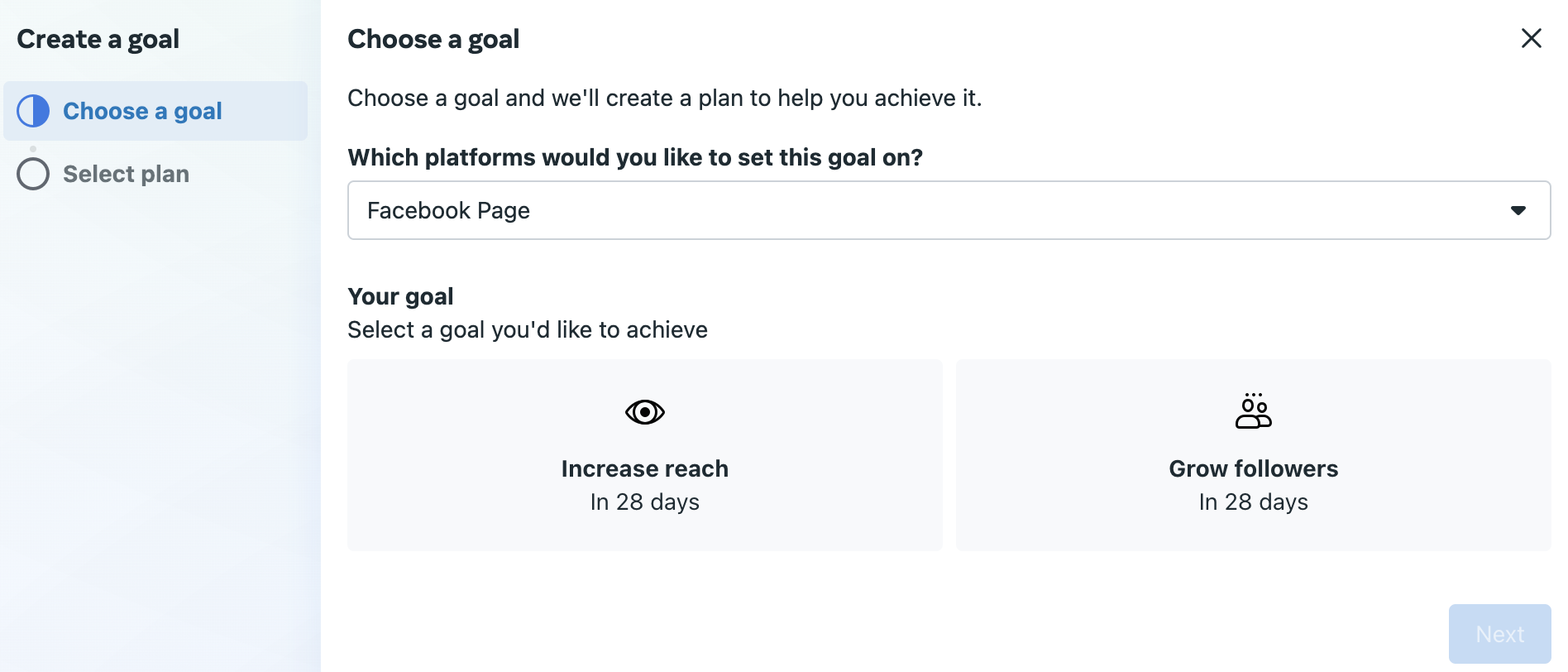
You can also set a goal, track progress, and learn helpful tips for reaching your professional success.
 Content Inspiration
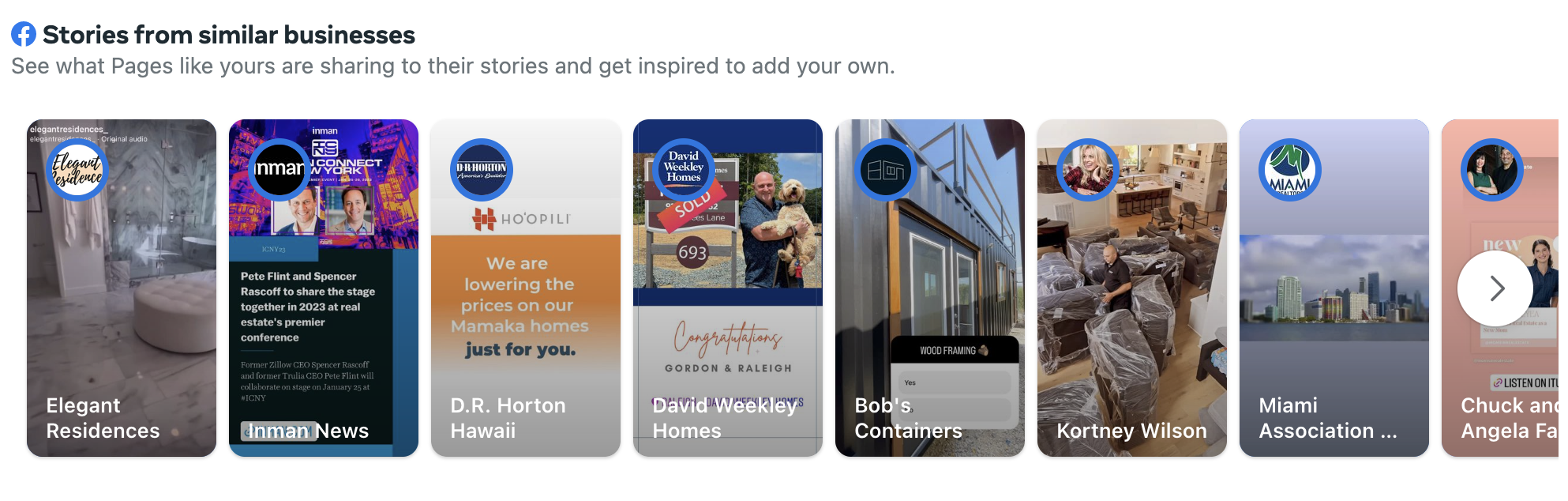
Are you looking for new ideas to create engaging content for your followers? Business Suite’s recommendations can inspire you and streamline sharing. For content inspiration, scroll to the bottom of the Home tab and you can view Stories from similar businesses.
 Bottom Line
Meta Business Suite provides everything you need to monitor and manage your Facebook and Instagram platforms all in one place. If these are the two social media platforms you use most or want to focus on, it’s worthwhile to take a peek inside Business Suite to see how it can help you stay on track and save time.
If you’re currently using or paying for other applications to manage social media, you might find this free tool is more robust and easy to manage.
We’ve only scratched the surface of what Business Suite offers. Check it out and let us know what you think!
Do you have more questions? We’re here to help you succeed! Our Support Team is available Monday – Friday, 9am – 5pm EST.
You can create a support ticket by sending us an email at support@keepingcurrentmatters.com, or reach out to us by phone at (631) 593-5700!

|
Members: Sign in now to set up your Personalized Posts & start sharing today!
Not a Member Yet? Click Here to learn more about KCM’s newest feature, Personalized Posts. |